Free · Phone, tablet & TV
IPTV,
without the clutter.
A calm, cinematic player for live TV, movies and series from your own provider. Built for phones, tablets and Android TV.
VizoPlay is a video player only. It does not provide any content. You need your own IPTV subscription to use the app.
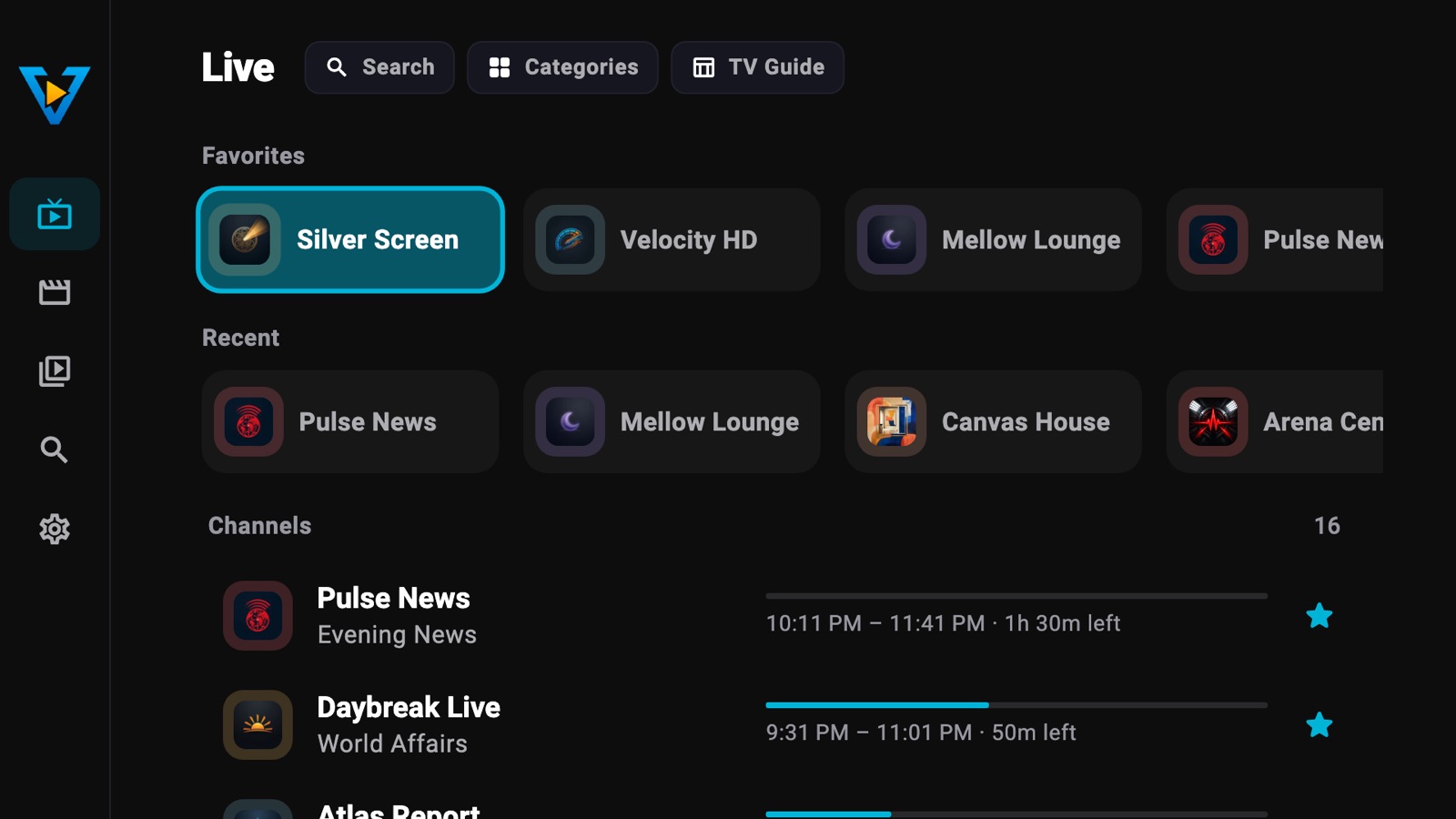

Take a look
Made for the way you watch.
Real screens from the app, shown with demo content.

Pause live TV, rewind anytime -
Cast to your TV, clip the best moments 
Find something to watch, fast 
Every season, every episode 
A TV guide you'll actually use 
Everything you saved, in one place
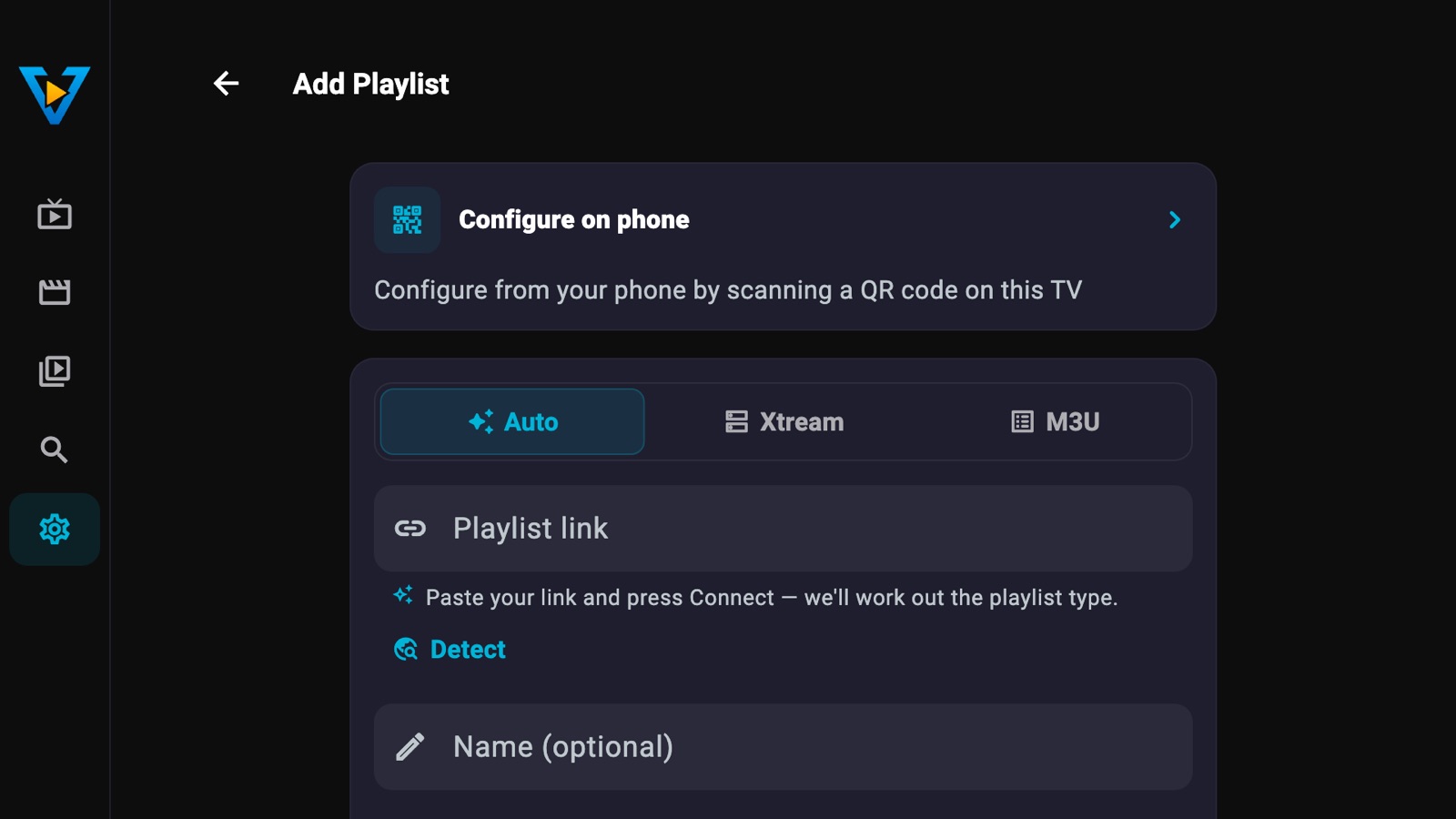
Remote setup
Set up your TV from your phone.
No typing passwords with a remote. Your phone does the typing, your TV just loads it.
-
Scan the QR code on your TV
In VizoPlay on your Android TV, choose Configure on phone.
-
Add your playlist on your phone
Enter playlists and settings at setup.vizoplay.app, then tap Save.
-
Press Load configuration on the TV
Nothing changes on your TV until you press it.
Got a VizoPlay link from your provider? Open it on your phone and choose Send it to your TV.
On a phone or tablet? Add your playlist right in the app, or tap a link from your provider.
Features
What's in the app.
Everything here is free, except the items marked with *.
-
No interrupting ads
No pop-ups and no video ads. Just one small banner, kept clear of what you're watching. Premium removes it.
-
Phone, tablet & TV
Designed for phones, tablets, and Android TV. Portrait and landscape, with adaptive layouts and D-pad navigation.
-
Chromecast
Send live TV, movies and series from your phone or tablet to any Google Cast device in one tap.
-
Catch-up TV
Replay programmes you missed straight from the TV guide, wherever your provider offers catch-up.
-
Clip the moment
Keep the last 10–60 seconds of live TV as a clip, then watch it again or share it.
-
VPN support *
Import your own OpenVPN or WireGuard config and connect directly from the app. No separate VPN client needed.
And more
- Multiple providers
- EPG reminders
- Picture-in-Picture on phones & tablets
- Parental controls & app lock
- Split view on tablet & TV *
- Background playback (Android) *
- Dark & light mode · High Contrast · 17 premium themes *
- 18 languages
* Premium is a one-time purchase, no subscription. It also adds up to 15 EPG sources (3 are free), a default sleep timer, and library tools: your own favorites order, sort by rating, grid or list view.
Bring your own provider.
VizoPlay is a player, not a provider. You'll need an IPTV subscription from a third-party provider to use the app. VizoPlay connects to any service that supports Xtream Codes or M3U playlists.
Providers can share one link that fills in the server details for you. Tap it and start watching.
Generate a link →Questions
Good to know.
What people usually ask before they download.
Is VizoPlay free?
Yes. VizoPlay is free to download and use, with one small banner ad. A one-time Premium purchase (no subscription) removes the ad and adds extras such as more themes, more TV guide sources, VPN support and split view on tablet and TV.
Does VizoPlay include channels or content?
No. VizoPlay is a player only. You need your own IPTV subscription from a provider, and VizoPlay plays the playlist they give you.
Which playlists does it support?
Xtream Codes (server, username and password) and M3U/M3U8 links. Paste the link and VizoPlay works out the type. You can add several playlists.
Does it work on Android TV?
Yes, with a full remote-control interface. You don't have to type with the remote: scan the QR code on your TV and add your playlist on your phone.
Is there a TV guide?
Yes. VizoPlay uses your provider's guide (EPG), and you can add XMLTV sources of your own: 3 guide sources are free, up to 15 with Premium. Set reminders, and replay past programmes where your provider offers catch-up.
Can I cast to my TV?
Yes. Send live TV, movies and series from your phone or tablet to any Google Cast (Chromecast) device.
Is it on iPhone and iPad?
Coming soon. Today VizoPlay is on Google Play for Android phones, tablets and Android TV.
What happens to my data?
There's no account, and your playlists and logins are stored on your device. Only remote TV setup sends them briefly through our server, PIN-protected and deleted automatically after an hour or two. Usage statistics are anonymous and never include what you watch.
Read the privacy policy
Get VizoPlay.
On Google Play for Android phones, tablets and Android TV. iPhone and iPad coming soon.